
Instantly Integration: Send Leads to Instantly AI from Lead Scrape

By Shane Daly, Content Writer at Lead Scrape
The Lead Scrape Instantly integration is a one-click API connection that sends B2B leads directly from Lead Scrape search results into Instantly AI cold email campaigns. It uses Instantly API V2 to transfer contact names, emails, company details, and phone numbers into any Instantly campaign without CSV files or manual data formatting.
With the Lead Scrape Instantly integration, you skip the manual steps of downloading CSV files, formatting columns, and uploading them into Instantly. Lead Scrape sends your discovered business contacts, emails, and company data straight into your chosen Instantly campaign through the API, ready for cold email outreach within seconds.

How Does the Lead Scrape Instantly Integration Work?
After connecting your Instantly API V2 key in Lead Scrape settings, a paper airplane export button appears in your search results. Click it, choose your target Instantly campaign, and the contacts transfer automatically through the API. No CSV downloads, no column formatting, no manual uploads.
- Search for leads in Lead Scrape. Use the search filters to find businesses by industry, location, company size, or other criteria.
- Click the paper airplane button. After your search results load, you will see a paper airplane icon next to the standard export button.
- Select Instantly as your destination. If you have multiple API integrations connected, choose Instantly from the list.
- Choose your target campaign. Pick the Instantly campaign where you want the leads delivered.
- Leads transfer automatically. Lead Scrape sends the filtered contacts and email addresses directly into your chosen campaign.
How to Set Up the Instantly Integration
You can set up the Lead Scrape Instantly integration in about two minutes. Generate an API V2 key in Instantly with campaigns and leads scopes, paste it into Lead Scrape's settings panel, and click Connect. Here are the detailed steps:
- Log into Instantly and navigate to your API settings. Generate a new API key using Instantly API V2 (V1 will not work).
- Set the correct scopes. When creating the key, select
campaigns:allandleads:all. You can also selectall:allfor full access. - Open Lead Scrape and go to Settings. Scroll to the API Integrations section and click "View All Integrations."
- Paste your API key into the Instantly field.
- Click the green "Connect" button. A confirmation message appears when the connection is successful.
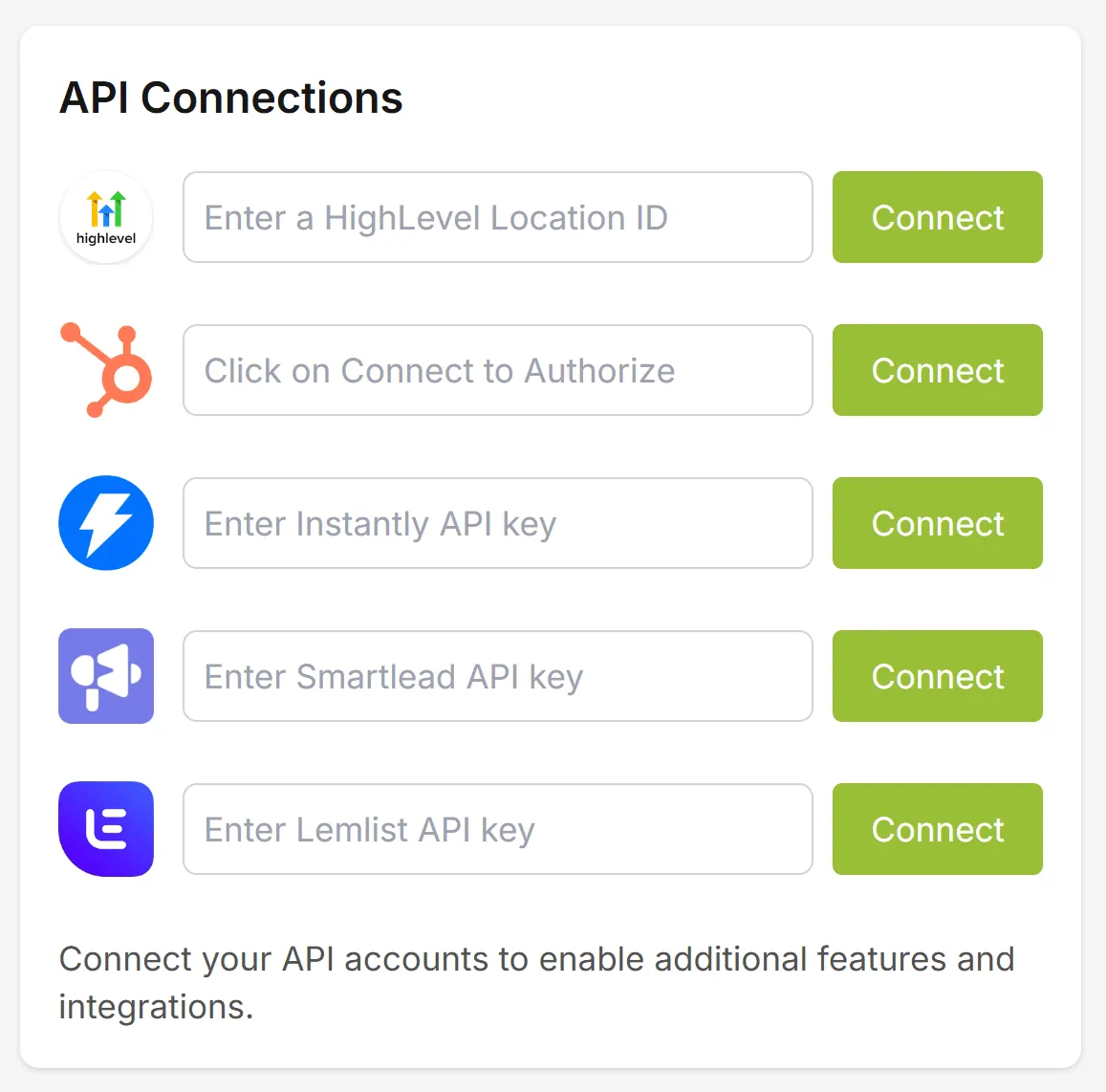
After connecting, the paper airplane export button becomes available in your search results. You are ready to start sending leads to Instantly.
What Data Does Lead Scrape Send to Instantly?
Lead Scrape sends six data fields to Instantly: contact name, email address, company name, phone number, website URL, and business address. All fields transfer directly into your selected Instantly campaign, ready for immediate outreach.
| Data Field | Description |
|---|---|
| Contact Name | First and last name of the business contact |
| Email Address | Email address for outreach |
| Company Name | The business name associated with the contact |
| Phone Number | Business phone when available |
| Website | Company website URL |
| Address | Business address including city, state, and country |
Leads go directly into the Instantly campaign you selected, so they are ready for outreach immediately. You can filter and organize leads inside Lead Scrape before exporting to make sure only the contacts you want end up in your campaign. All six fields map automatically to Instantly's lead record format, so there is no column mapping or manual field assignment required.
What Are the Benefits of Using Lead Scrape for Instantly Leads?
The primary benefit is speed. Lead Scrape's direct API integration reduces the time per lead batch from 15 to 30 minutes (manual CSV workflow) down to under 2 minutes. You also get fresher data because Lead Scrape searches current public business listings in real time rather than pulling from static databases.
- Skip manual CSV imports. No more downloading files, formatting columns, and uploading them into Instantly. The integration handles the transfer automatically.
- Always fresh data. Lead Scrape searches for current business listings, so your Instantly leads are up to date rather than pulled from a stale database.
- Target by industry and location. Narrow your search to specific industries, cities, states, or countries before sending leads to your campaign.
- Scale campaigns faster. Generate hundreds or thousands of targeted leads in minutes and push them into Instantly with one click.
- One-click workflow. The paper airplane button creates a direct pipeline from lead discovery to cold email outreach.
Download the free trial to test it with your own campaigns.
Why Use Instantly AI for Cold Email Outreach?
Instantly is an automated cold email platform built for scaling outreach without sacrificing deliverability. The platform includes email warm-up, domain monitoring, and spam testing to help your messages reach primary inboxes instead of the spam folder.
Key features that make Instantly effective for cold outreach:
- Automated sequencing with conditional logic that adapts to recipient behavior, including follow-ups triggered by out-of-office replies.
- Deliverability tools that rotate sending patterns, manage sender reputation, and warm up new domains automatically.
- AI-powered personalization that inserts company details, recent news, or industry pain points into each message at scale.
- Performance analytics tracking open rates, click-through rates, reply rates, and conversions across all your campaigns.
- Unlimited email accounts so you can scale sending volume while maintaining high deliverability.
According to Litmus research, email generates an average of $36 for every $1 spent, making it one of the highest-ROI marketing channels available. Campaign Monitor data also shows that emails with personalized subject lines are 26% more likely to be opened, which is why pairing targeted Lead Scrape lists with Instantly's personalization engine is so effective.
Research published in Harvard Business Review found that companies responding to leads within five minutes are 100 times more likely to make successful contact. The Lead Scrape Instantly integration helps close this gap by sending leads directly into outreach campaigns the moment they are discovered, rather than waiting for a manual import cycle.
Lead Scrape vs Manual CSV Import for Instantly Leads
Lead Scrape's direct API integration eliminates three manual steps (data collection, column formatting, and CSV upload) that typically account for 80% of the time spent getting leads into Instantly. The comparison below breaks down each step side by side.
| Step | Manual CSV Import | Lead Scrape Integration |
|---|---|---|
| Find leads | Search directories, LinkedIn, or databases manually | Search by industry and location in Lead Scrape |
| Collect data | Copy data into a spreadsheet | Results appear instantly in the app |
| Format data | Match column headers to Instantly's import format | Not needed, handled automatically |
| Export | Download CSV file from your source | Click the paper airplane button |
| Import into Instantly | Upload CSV, map fields, confirm | Select campaign, done |
| Time per batch | 15-30 minutes | Under 2 minutes |
Lead Scrape also integrates with other cold email and CRM platforms. See the full list on the integrations page, including Smartlead, Lemlist, and HubSpot.
Who Benefits Most from the Instantly Integration?
The integration is built for teams and individuals who send cold emails at volume and need a consistent pipeline of fresh, targeted contacts. According to McKinsey research, B2B companies using data-driven prospecting tools grow revenue 2.3 times faster than those relying on manual processes.
- Sales teams filling pipelines with targeted B2B prospects across specific industries or regions. The integration lets SDRs go from search to active campaign in under two minutes.
- Marketing agencies managing cold outreach campaigns for multiple clients who need separate lead lists segmented by industry and geography.
- B2B companies introducing their services to potential customers through personalized email sequences powered by Instantly's AI writer.
- Recruiters reaching out to passive candidates at companies in specific sectors, using Lead Scrape's industry filters to narrow by SIC code or location.
If your outreach depends on having fresh, targeted leads flowing into Instantly campaigns, the integration removes the manual bottleneck between finding prospects and contacting them. Purchase Lead Scrape to unlock unlimited lead exports.
What Are the Requirements for the Instantly Integration?
To use the Lead Scrape Instantly integration, you need the following:
- Lead Scrape license (Standard or Business edition) with API integration support.
- Instantly account with API access enabled on a paid plan.
- Instantly API V2 key with
campaigns:allandleads:allscopes (orall:all). API V1 is not supported. - Internet connection for the API transfer between Lead Scrape and Instantly.
There is no extra charge for the integration. It is included with your Lead Scrape license. The only additional cost is your Instantly subscription, which is billed separately through Instantly.
What Are the Limitations of the Instantly Integration?
The integration sends leads in one direction only, from Lead Scrape to Instantly. It does not sync campaign responses, bounce data, or reply statuses back into Lead Scrape. Here are the key limitations to be aware of:
- One-way data flow. Leads transfer from Lead Scrape to Instantly, but campaign analytics and reply tracking stay inside Instantly.
- API V2 only. Instantly API V1 keys will not work. You need to generate a V2 key with the correct scopes.
- Paid Instantly plan required. API access is not available on Instantly's free tier. You need an active paid subscription.
- Built-in deduplication. Lead Scrape can check whether leads already exist in your other Instantly campaigns before exporting, helping you avoid duplicate contacts across campaigns.
What Should I Do If the Instantly Integration Is Not Working?
Most connection issues come from an incorrect API key version or missing scopes. If Lead Scrape does not connect to Instantly, work through these steps in order:
- Confirm you are using API V2. Log into Instantly, go to API settings, and verify the key was created under API V2 (not V1). V1 keys look similar but will fail silently.
- Check your scopes. The key needs
campaigns:allandleads:allat minimum. If unsure, regenerate the key withall:all. - Verify your Instantly plan. API access requires a paid Instantly subscription. Free trial accounts may not have API access enabled.
- Re-paste the key carefully. Copy the full API key from Instantly without leading or trailing spaces, then paste it into Lead Scrape's API Integrations panel and click Connect again.
- Check your internet connection. The API call requires an active internet connection from the machine running Lead Scrape.
If the connection still fails after these steps, contact Lead Scrape support with your API key version and any error messages you see.
Instantly AI Resources
Find new potential customers today.
Download the Free Trial and see for yourself how Lead Scrape can help your business.
Frequently Asked Questions
-
How do I send leads from Lead Scrape to Instantly?
After connecting your Instantly API key in Lead Scrape, run a search to find leads. Then click the paper airplane button next to the export options in your search results. Select Instantly as your destination, choose the target campaign, and your leads transfer automatically.
-
What API version does the Instantly integration require?
Lead Scrape requires Instantly API V2. When creating your API key in Instantly, select the campaigns:all and leads:all scopes. You can also select all:all for full access.
-
What lead data gets exported to Instantly?
Lead Scrape sends contact information and email addresses directly into your chosen Instantly campaign. You can filter and organize leads in Lead Scrape before exporting, so only the contacts you want end up in your campaign.
-
Can I filter leads before sending them to Instantly?
Yes. Use Lead Scrape's search results interface to filter by industry, location, company size, and other criteria. Then click the paper airplane export button to send only your filtered results to Instantly.
-
Is the Lead Scrape Instantly integration included for free?
The Instantly integration is included with Lead Scrape at no extra cost. You need a Lead Scrape license (Standard or Business edition) and an Instantly account with API access enabled. Instantly API V2 is required, which is available on Instantly paid plans.
-
How does Lead Scrape compare to other ways of getting leads into Instantly?
Lead Scrape discovers fresh B2B leads in real time from public business listings and sends them directly into Instantly with one click. Other methods like buying lead lists or manually scraping directories require downloading CSV files, formatting columns, and uploading them separately. Lead Scrape also lets you filter by industry and location before exporting.
-
What is cold emailing and how does it generate leads?
Cold emailing is sending unsolicited emails to people who have never interacted with your business before. It generates leads by reaching prospects who fit your target customer profile. When paired with a tool like Lead Scrape, you can build targeted lists and send them straight into Instantly for outreach.
-
How many cold emails should I send per day?
Start with 50 to 100 emails per day to avoid being flagged as spam. Gradually increase volume as you warm up your domain and improve deliverability. Instantly provides built-in warm-up tools to help with this process.
-
How do I avoid the spam folder when sending cold emails?
Use a professional email address, authenticate your domain with SPF, DKIM, and DMARC records, avoid spam trigger words, personalize your content, and maintain a good sender reputation through engagement. Instantly includes deliverability features like email warm-up and inbox monitoring to help you stay out of spam.
-
What are the limitations of the Lead Scrape Instantly integration?
The integration is one-way only, sending leads from Lead Scrape to Instantly. It does not sync campaign responses or bounce data back. It requires Instantly API V2 (V1 is not supported) and a paid Instantly subscription for API access. Lead Scrape includes a built-in deduplication option that checks whether leads already exist in your other Instantly campaigns before exporting.
-
What should I do if the Lead Scrape Instantly integration is not working?
First confirm you are using an Instantly API V2 key, not V1. Check that the key has campaigns:all and leads:all scopes. Verify your Instantly plan includes API access (free trials may not). Re-paste the key without extra spaces and click Connect. If it still fails, contact Lead Scrape support with the error message.